
Appearance
Custom Songs
The Custom Songs page lets you manage songs that are specific to your tenant, separate from the shared song database.
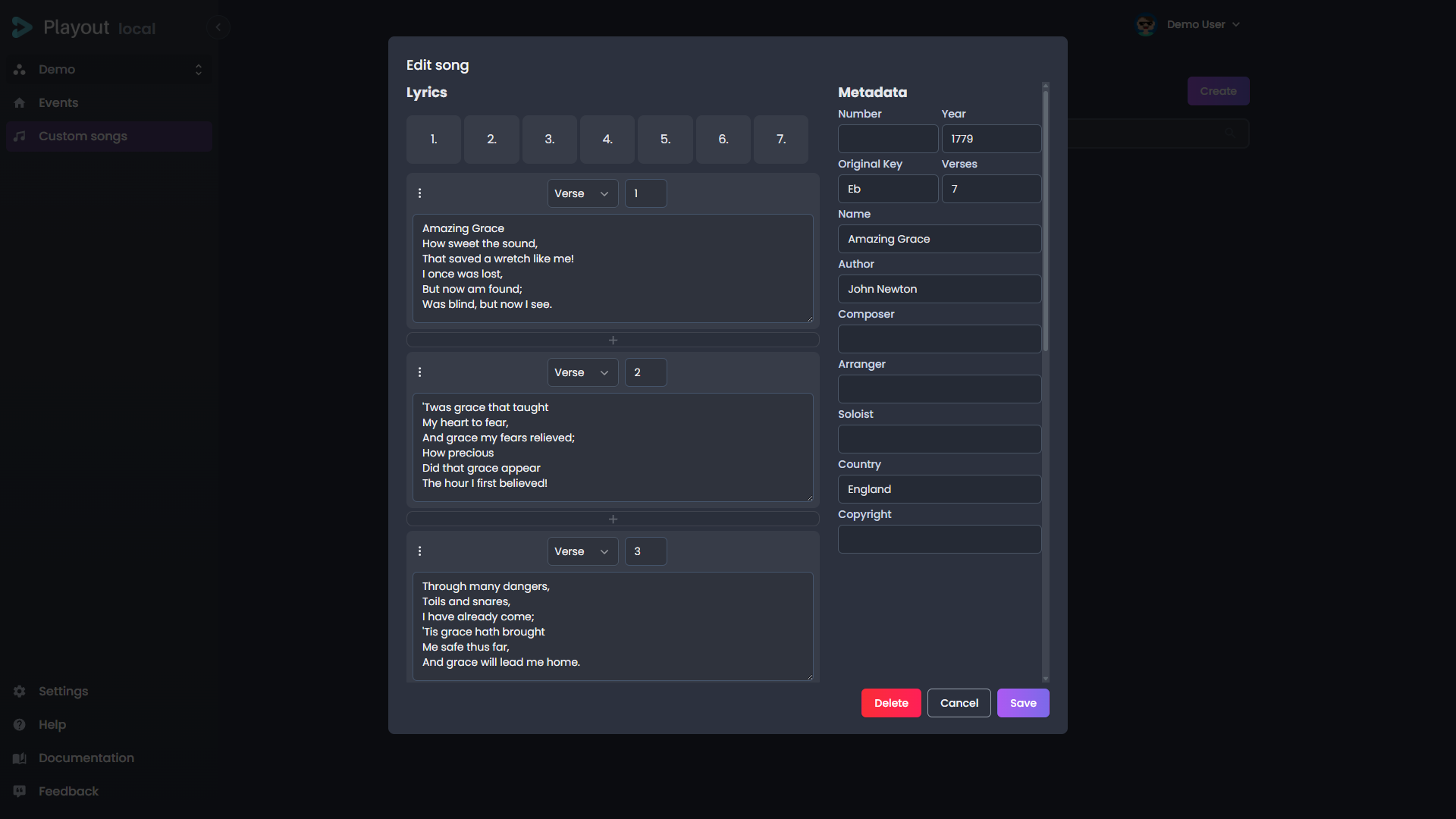
Overview
While Playout provides a shared song library imported from Song Treasures, you may need songs that are unique to your organization — original compositions, or arrangements not available in the global database.
Custom songs appear alongside regular songs when searching during an event, so your operators can use them seamlessly.
Adding a Song
Click Create to add a new custom song. Fill in the available fields:
| Field | Description |
|---|---|
| Title | The song title |
| Number | An optional song number for quick lookup |
| Author | The songwriter |
| Composer | The music composer |
| Arranger | The arranger (if applicable) |
| Soloist | The soloist (if applicable) |
| Copyright | Copyright information |
| Year | Year of composition or publication |
| Original key | The original musical key |
| Verses | The lyrics, organized by section (verse, chorus, bridge) |
The person fields (Author, Composer, Arranger, Soloist) have a search button at the right edge of the field that opens the person-registry search. Picking a person fills the field with their display name — or just type a name manually, exactly as before.
Editing a Song
Click on an existing song to open it for editing. Make your changes and save. Closing the editor with unsaved changes asks you to confirm before discarding them.
A verse's type and number identify it within the song, so two verses cannot share the same number. If you renumber a verse onto a number that is already taken, Playout rejects the change and tells you which one clashes — renumber that verse first, or pick a free number. Blank lines inside a verse are kept exactly as you type them, so stanza breaks survive editing and re-saving.
Song Comments
You can add comments to individual lines within a song — useful for musician cues, tempo notes, or section reminders. See Song Comments for full details.
Saving from the Playlist
You can also save a song directly from the event playlist. When a song is queued but not live, a Save as custom song button appears below the song editor. Clicking it creates a copy in your custom songs library — useful for preserving a shared song you've customized with comments or structural changes.
Deleting a Song
Click the delete action on a song to remove it. A confirmation dialog will appear before the song is permanently deleted.
TIP
Custom songs are scoped to your tenant. They are not shared with other tenants and do not affect the global song library.